OneXFly F1 Pro
$899-1199
Handheld PC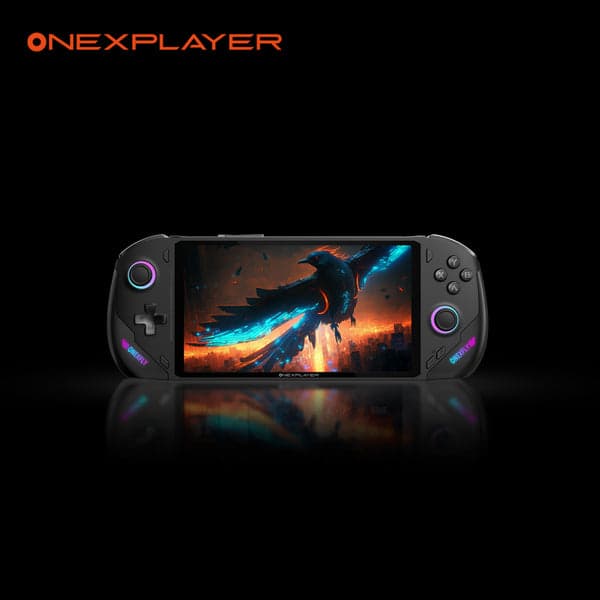
What can it run?
Runs Great
8 systems
- Native PC Games (AAA titles at 720p-1080p medium-high settings with HX 370)
- NES, SNES, GB, GBC, GBA (flawless)
- N64, PS1, Dreamcast (flawless)
- PSP (full library at max resolution)
- DS, 3DS (full library at high resolution)
- GameCube/Wii (full library at high resolution)
- PS2 (full library at upscaled resolution)
- Wii U (full library via Cemu)
Struggles
3 systems
- PS3 via RPCS3 (many titles playable at 30fps, demanding games struggle)
- Xbox 360 via Xenia (game-dependent, many playable)
- Switch via Eden/Citron (most games run but demanding titles need tweaking)
Can't Run
2 systems
- PS4/PS5 (no viable emulators)
- Xbox One/Series (no viable emulators)
Specs
Recommended Emulators
Excellent
Good
Setup Guide
The Verdict
The OneXFly F1 Pro is the sleeper hit of Windows handhelds. Available with either the 8840U or the monstrous Ryzen AI 9 HX 370, the top-end config is one of the most powerful handhelds money can buy. Thin, premium build, AMOLED screen. The HX 370 version eats everything through Wii U and takes real bites out of PS3 and Switch emulation. It's expensive, but it delivers.
First Thing to Do
1. **Update OneXConsole** — OneXPlayer's management software. It handles TDP, fan curves, and RGB
2. **Install Handheld Companion** — Better controller mapping and more granular TDP profiles
3. **Install Playnite** — Your unified launcher
4. **Windows updates + AMD chipset drivers** — Grab the latest from AMD directly, don't rely on Windows Update
5. **Set up per-game TDP profiles** — This device benefits massively from tuning TDP per game
Emulation Setup
→**PS2:** PCSX2 — 4x resolution on the HX 370, 3x on the 8840U. PS2 is trivial for this device
→**GameCube/Wii:** Dolphin — 3x-4x resolution, full speed everything
→**Wii U:** Cemu — Full library at 1080p+. BOTW with 60fps mod is smooth
→**PSP:** PPSSPP — Max resolution on the AMOLED. Stunning
→**3DS:** Azahar — Perfect at high resolution
→**PS3:** RPCS3 — The HX 370 is one of the best handheld chips for RPCS3. Many titles at 30fps, some at 60. Persona 5, Demon's Souls, Skate 3 all playable. The 8840U is decent but noticeably weaker here
→**Xbox 360:** Xenia Canary — Good compatibility on the HX 370. Red Dead Redemption, Halo 3, many titles work
→**Switch:** Eden or Citron — Most games playable on HX 370. The Radeon 890M GPU helps significantly. Mario Odyssey, BOTW, Metroid Dread at 60fps
→**Everything older:** RetroArch
Native PC Gaming
The HX 370 config competes with the ROG Ally X and sometimes exceeds it. AAA at 720p-1080p medium-high, 30-60fps. The AMOLED screen makes everything look better. The 8840U config is more like Steam Deck-level performance.
Pro Tips
1. **Get the HX 370 version if budget allows** — The performance gap over the 8840U is significant, especially for PS3 and Switch emulation
2. **TDP sweet spots: 8W retro, 15W PS2/Wii U, 25W PS3/Switch, 30W+ native PC games**
3. **The AMOLED screen is gorgeous for retro games** — True blacks make pixel art pop. CRT shaders look incredible
4. **This device runs hot at max TDP** — Don't block the vents. Consider a small stand for tabletop play
5. **OneXConsole's turbo mode is for short bursts only** — It'll thermal throttle after a few minutes. Use sustained performance mode instead
Worth It?
The F1 Pro HX 370 is one of the best emulation handhelds available if you're willing to pay $1100+. It does PS3 and Switch better than almost anything else in handheld form. The 8840U version at $899 is harder to recommend — you're paying a premium for the build quality and AMOLED over an Ally X that performs similarly. Either way, it's a premium device that delivers premium results.
Setup Tips
- →7-inch OLED at 144Hz is stunning for emulation
- →HX 370 model has Radeon 890M — significantly more GPU power
- →Use OneXConsole software for TDP and fan control
- →Up to 64GB RAM and 4TB storage — future-proof
- →Install EmuDeck for streamlined emulator setup
Watch Out For
- !OneXPlayer is a smaller brand — support may be limited
- !Multiple SKUs with very different performance (8840U vs HX 370)
- !52Wh battery is middling for this class
- !Can get expensive quickly at higher configurations ($1199+)
- !Thermal management important — use a stand for long sessions