Ayn Loki Max/Thor
$499-899
Handheld PC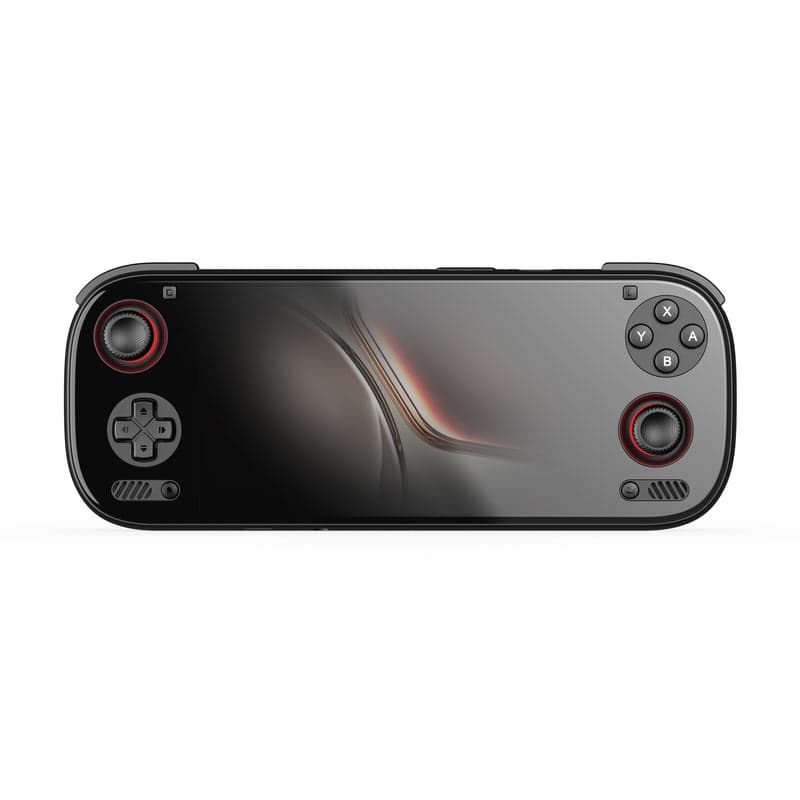
What can it run?
Runs Great
14 systems
- NES, SNES, GB, GBC, GBA (flawless)
- N64 (full library at max settings)
- PS1 (full library, enhanced)
- PSP (full library at max resolution)
- DS, 3DS (full library at high resolution)
- Dreamcast, Saturn (full library)
- GameCube/Wii at 4K resolution
- PS2 at 4x+ resolution (full library)
- Wii U at 1080p+ with graphical mods
- Xbox 360 (most of library via Xenia Canary)
- PS3 (many titles via RPCS3 — Persona 5, Demon's Souls, MGS4)
- Switch at 1080p (most games at 60fps)
- PC games (low-medium settings, 720p-1080p)
- Arcade: MAME, FBNeo (full library)
Struggles
3 systems
- PS3 (demanding titles like The Last of Us, Uncharted 3)
- Latest AAA PC games (2023+ at high settings)
- Switch (most demanding titles like TOTK at max settings)
Can't Run
2 systems
- PS4/Xbox One (no mature emulators yet)
- Modern Unreal Engine 5 games at high settings
Specs
Recommended Emulators
Excellent
Good
Setup Guide
The Verdict
This is the nuclear option. Full Windows PC in a handheld form factor with enough power to run Switch games at 1080p, Xbox 360 flawlessly, PS3 with broad compatibility, and even modern PC games at low-medium settings. It's expensive, it's heavy, it's loud — and it's the most powerful emulation handheld you can buy without going full Steam Deck. If you want one device for everything (including PC gaming), this is it.
First Thing to Do
1. **Windows updates** — Get all your drivers and Windows updates out of the way first
2. **Install Steam** — Use Big Picture Mode as your main interface
3. **Download EmuDeck** — Automates emulator setup for RetroArch, Dolphin, PCSX2, Eden, RPCS3, etc.
4. **Set up TDP controls** — Handheld Companion or Ryzen Controller for battery life tuning
5. **Install your emulators manually if EmuDeck isn't your thing** — PCSX2, Dolphin, RPCS3, Eden/Citron, Xenia
The Loadout
→**Switch:** Eden or Citron (1080p, 60fps for most games)
→**PS3:** RPCS3 (many games run at native or higher)
→**Xbox 360:** Xenia Canary (nearly full compatibility)
→**Wii U:** Cemu (1080p+ with graphical enhancements)
→**PS2:** PCSX2 (high resolution, upscaled textures)
→**GameCube/Wii:** Dolphin (4K if you want it)
→**3DS:** Azahar (high resolution, perfect)
→**Dreamcast:** Flycast or Redream (both perfect)
→**Everything else:** RetroArch
What It Crushes
→**Switch emulation** — Mario Odyssey, Metroid Dread, Xenoblade 2 all 60fps at 1080p
→**Xbox 360** — Full library runs beautifully (Halo 3, Gears, RDR1)
→**Wii U** — BOTW at 1080p 60fps with graphical mods
→**PS3** — Persona 5, Demon's Souls, MGS4 all playable
→**PS2 at ridiculous resolutions** — 4x native, no sweat
→**PC games (2015-2020)** — Witcher 3, Elden Ring (low), older AAA games at 720p-1080p
What It Struggles With
→**Battery life** — 2-3 hours max on demanding games
→**Latest AAA PC games** — Cyberpunk, Starfield, UE5 games will chug
→**PS3 demanding titles** — The Last of Us, Uncharted 3 still have issues
Skip These
→**Modern AAA PC games at high settings** — This isn't a gaming laptop
→**PS4/Xbox One** — Emulation isn't there yet
Pro Tips
1. **TDP tuning is essential** — Lower TDP for retro games = 4-5 hours battery. Max TDP for Switch/PC games = 1.5-2 hours.
2. **Dual-boot SteamOS if you want console-like UX** — Windows is finicky, SteamOS is smoother for emulation
3. **Use an external battery bank** — Anker 20,000mAh + USB-C PD keeps you going for long flights
4. **Fan noise is real** — Get good headphones or embrace it
5. **This is the ONLY handheld tier that does PS3, Xbox 360, and Wii U** — Android devices can't touch these
Worth It?
Only if you want the absolute best emulation device money can buy AND you're okay with Windows handheld quirks. At $500-900, this competes with the Steam Deck, which has better software polish. But if you want Xbox 360, PS3, and cutting-edge Switch emulation in one device, this is unmatched. Not for everyone, but for power users, it's perfect.
Setup Tips
- →Full Windows 11 handheld — install emulators like a regular PC
- →Use Steam as your frontend with added emulators
- →Install EmuDeck or RetroDeck for automatic emulator setup
- →Best-in-class performance for Switch, PS3, Xbox 360, and Wii U emulation
- →Can dual-boot SteamOS or Windows
- →Hall effect sticks and triggers
- →Excellent for both emulation AND native PC gaming
- →Use RPCS3 for PS3 — this is the only handheld tier that can do it
- →Use Xenia Canary for Xbox 360 — nearly full compatibility
Watch Out For
- !Very expensive — premium pricing
- !Windows can be finicky for handheld use (driver updates, etc)
- !Battery life is 1.5-3 hours depending on load
- !Large and heavy device
- !Fan can get loud under load
- !Windows emulator setup is more manual than Android