AYANEO Kun
$999-1199
Handheld PC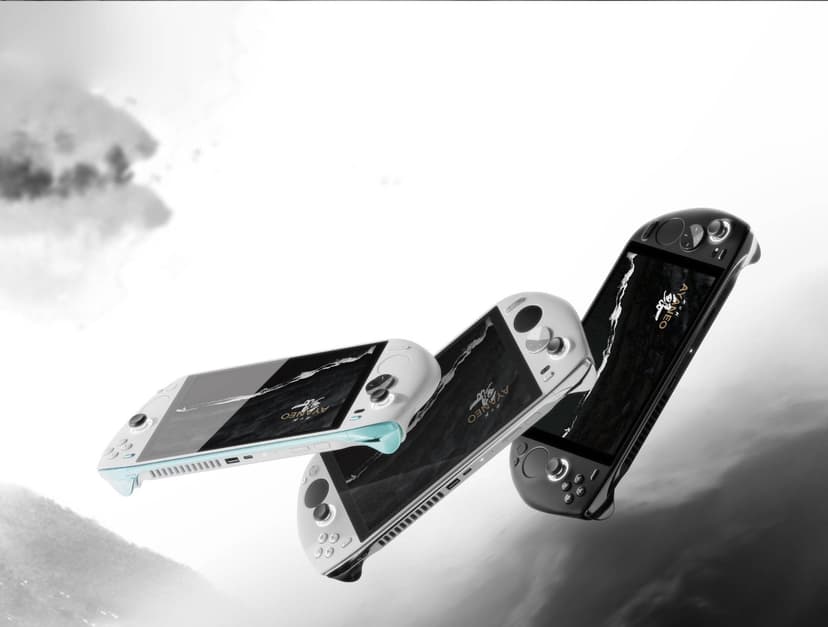
What can it run?
Runs Great
8 systems
- Native PC Games (AAA at 720p-1080p medium-high settings)
- NES, SNES, GB, GBC, GBA (flawless)
- N64, PS1, Dreamcast (flawless)
- PSP (full library at max resolution)
- DS, 3DS (full library at high resolution)
- GameCube/Wii (full library at high resolution)
- PS2 (full library at upscaled resolution)
- Wii U (full library via Cemu)
Struggles
3 systems
- PS3 via RPCS3 (many titles at 30fps, demanding games struggle)
- Xbox 360 via Xenia (game-dependent, many playable)
- Switch via Eden/Citron (most games playable, demanding titles need tweaking)
Can't Run
2 systems
- PS4/PS5 (no viable emulators)
- Xbox One/Series (no viable emulators)
Specs
Recommended Emulators
Excellent
Good
Setup Guide
The Verdict
The AYANEO Kun is the big-screen bruiser. An 8.4-inch display, Ryzen 7 7840U, and premium build quality. It's for people who think the Steam Deck's screen is too small and want the biggest viewing area possible in a handheld. Emulation performance is excellent — same chip as the GPD Win 4 but with a screen that makes everything look better. It's also heavy and expensive.
First Thing to Do
1. **Install AYASpace** — AYANEO's launcher software. It's actually decent for TDP management and quick settings
2. **Install Handheld Companion** — For finer TDP control and better controller mapping profiles
3. **Install Playnite** — Unified game launcher, must-have
4. **Update AMD drivers** — Grab the latest from AMD.com directly
5. **Calibrate the screen** — The 8.4-inch panel is gorgeous but may need color calibration out of the box. Use Windows HDR calibration if supported
Emulation Setup
→**PS2:** PCSX2 — 3x resolution, looks incredible on the 8.4-inch screen. This is the best screen for PS2 emulation in any handheld
→**GameCube/Wii:** Dolphin — 3x resolution, full library. Wind Waker on this screen is special
→**Wii U:** Cemu — Full library at 1080p. The screen size makes Wii U games feel almost like playing on a tablet
→**PSP:** PPSSPP — Max resolution. PSP games at 5x on an 8.4-inch screen is absurd (in a good way)
→**3DS:** Azahar — High resolution, both screens visible without squinting
→**PS3:** RPCS3 — Many titles at 30fps. Same performance as other 7840U devices
→**Xbox 360:** Xenia Canary — Game-dependent, many playable
→**Switch:** Eden or Citron — Most games playable with tweaking. The screen size actually makes Switch emulation feel more natural since you're closer to the original screen size
→**Everything older:** RetroArch
Native PC Gaming
Standard 7840U performance — Steam Deck-tier. 720p medium for modern AAA, higher for older stuff. The big screen means you notice low resolution more, so use FSR aggressively. The upside is that strategy games, CRPGs, and anything with small UI elements become playable on this screen where they're unusable on 7-inch devices.
Pro Tips
1. **The 8.4-inch screen is the entire reason to buy this** — If you don't care about screen size, get something cheaper with the same chip
2. **TDP: 8W retro (3.5 hours), 15W PS2/Wii U (2 hours), 25W PC games (1.5 hours)** — The big screen and bigger device mean battery life is average
3. **DS and 3DS dual-screen games are amazing here** — Both screens visible at usable sizes. Pokémon, Professor Layton, Zelda Spirit Tracks finally work well in handheld emulation
4. **It's heavy — 733g** — Your hands will tire in long sessions. Get a grip case
5. **Use integer scaling for pixel-art games** — The high resolution and big screen make integer-scaled retro games look crisp
Worth It?
At $999-1199, the Kun is expensive for a 7840U device. You're paying for the screen and build quality, not raw performance. If screen size is your priority — and for emulation, it honestly should be — the Kun delivers an experience no other handheld matches. But if you want the best performance per dollar, the Ally X gives you more power for less money. The Kun is a luxury pick for people who value display quality above all else.
Setup Tips
- →Largest screen on any handheld at 8.4 inches — incredible for emulation
- →75Wh battery is massive — great battery life for this class
- →54W TDP mode for maximum performance (class-leading)
- →Dual trackpads like the Steam Deck
- →2560x1600 resolution is sharp but demanding — use lower render res for games
- →Install EmuDeck for easy emulator setup
Watch Out For
- !Heavy at 950g — more like a tablet than a handheld
- !60Hz screen (no high refresh rate option)
- !Very expensive at $999-1199
- !AYANEO software can be buggy
- !Screen resolution means games need to render at non-native res for performance
- !Massive size may not be comfortable for long sessions