ASUS ROG Ally X
$799
Handheld PC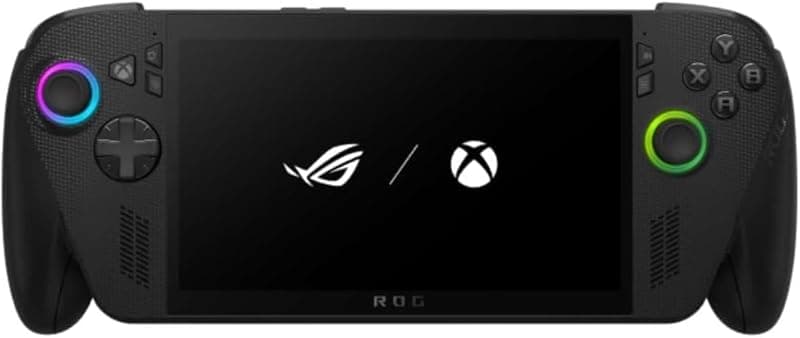
What can it run?
Runs Great
8 systems
- Native PC Games (AAA at 720p-1080p medium-high settings, 60fps in many titles)
- NES, SNES, GB, GBC, GBA (flawless)
- N64, PS1, Dreamcast (flawless)
- PSP (full library at max resolution)
- DS, 3DS (full library at high resolution)
- GameCube/Wii (full library at high resolution)
- PS2 (full library at upscaled resolution)
- Wii U (full library via Cemu)
Struggles
3 systems
- PS3 via RPCS3 (many titles at 30fps, demanding games struggle)
- Xbox 360 via Xenia (game-dependent, many playable)
- Switch via Eden/Citron (most games playable, demanding titles need tweaking)
Can't Run
2 systems
- PS4/PS5 (no viable emulators)
- Xbox One/Series (no viable emulators)
Specs
Recommended Emulators
Excellent
Good
Setup Guide
The Verdict
The ROG Ally X is the Windows handheld done right — or at least as right as Windows gets. The Z1 Extreme is a beast, the 80Wh battery is the biggest in any handheld, and ASUS's Armoury Crate SE actually works decently as a launcher. It's the mainstream pick for people who want raw power and don't mind Windows jank. Great for emulation AND native PC gaming.
First Thing to Do
1. **Windows updates** — Painful but necessary. Let it churn through every update before doing anything else
2. **Update Armoury Crate SE** — ASUS pushes frequent fixes. Update from MyASUS app
3. **Install Handheld Companion** — Better TDP control and controller mapping than ASUS's built-in tools
4. **Install Playnite** — Unified launcher that pulls in Steam, Epic, GOG, and emulators into one interface
5. **Set Windows to auto-login** — Settings > Accounts > Sign-in options. Nobody wants to type a password on a handheld
Emulation Setup
→**PS2:** PCSX2 — 3x resolution, no sweat. The Z1 Extreme eats PS2 alive
→**GameCube/Wii:** Dolphin — 3x-4x resolution, full speed everything
→**Wii U:** Cemu — Full library at 1080p. BOTW with 60fps mod runs great
→**PSP:** PPSSPP — Max resolution, perfect
→**3DS:** Azahar — High resolution, zero issues
→**PS3:** RPCS3 — This is where Z1 Extreme earns its keep. Persona 5, Demon's Souls, many titles at 30fps. Don't expect The Last of Us though
→**Xbox 360:** Xenia Canary — Many games playable. Red Dead Redemption works. Halo 3 works. It's game-dependent but this chipset handles it
→**Switch:** Eden or Citron — Most games playable with tweaking. Mario Odyssey, BOTW run well. TOTK needs TDP cranked up
→**Everything older:** RetroArch
Native PC Gaming
Steam in Big Picture Mode is your best friend. The Z1 Extreme handles most games at 720p-1080p medium-high. Elden Ring at 720p 40-50fps. Baldur's Gate 3 at 720p medium 30-40fps. The 1080p screen means you can push resolution higher than Steam Deck. Use FSR or RSR for free performance.
Pro Tips
1. **TDP management is everything** — 9W for retro/PS2 games (4-5 hours battery). 15W for Wii U/PS3 (2-3 hours). 25-30W for native PC games (1.5-2 hours)
2. **The 80Wh battery is the Ally X's killer feature** — You get 1-2 hours more than any competitor at the same TDP
3. **Use GlosSI for non-Steam games** — Maps the controller properly for emulators launched outside Steam
4. **Set Armoury Crate SE as your shell** — It boots directly into a console-like UI instead of Windows desktop
5. **Disable Windows notifications** — Focus Assist > Alarms Only. Nothing kills immersion like a Windows Update popup mid-boss fight
Worth It?
At $799, the Ally X competes directly with Steam Deck OLED at $549. You're paying $250 more for significantly more power, Windows compatibility (Xbox Game Pass, Xbox 360 emulation), and the biggest battery in any handheld. The tradeoff is Windows jank — updates, driver issues, occasional weirdness. If you want power and don't mind tinkering, the Ally X is excellent.
Setup Tips
- →Best-in-class 80Wh battery — longest battery life of any Windows handheld
- →24GB RAM is ideal for emulation with Windows overhead
- →M.2 2280 SSD slot (upgraded from 2230 in original Ally) — cheaper/faster drives
- →Use Armoury Crate SE for TDP tuning and game library management
- →Install EmuDeck for streamlined emulator setup
- →Ergonomic improvements over original ROG Ally
Watch Out For
- !Same Z1 Extreme chip as original Ally — no CPU/GPU upgrade
- !IPS screen, not OLED (no HDR, less vibrant than Steam Deck OLED)
- !Windows 11 overhead — consider dual-booting SteamOS/Bazzite
- !$799 is premium pricing for the Z1 Extreme chip
- !ASUS software can be buggy — community patches often needed